Local-first personal finance
Your money data never leaves your device.
Wall it tracks accounts, budgets, and transactions in a database that lives on your phone — not on someone else's server. Privacy by architecture, not by policy.
- No account
- Offline-always
- No cloud sync
Most finance apps upload every transaction to their servers. Wall it keeps them on your device — an on-device SQLite database is the single source of truth, so the app works fully offline and your spending is nobody's data set but yours.
How it works
Four architectural decisions
The case study goes deep on each — prose and diagrams, no proprietary code. Here's the shape of it.
Local-first data model
The device is the single source of truth. Every read and write hits an on-device SQLite database — instant, offline, no server round-trip for your financial data.
Read more BudgetsRule-based budgeting engine
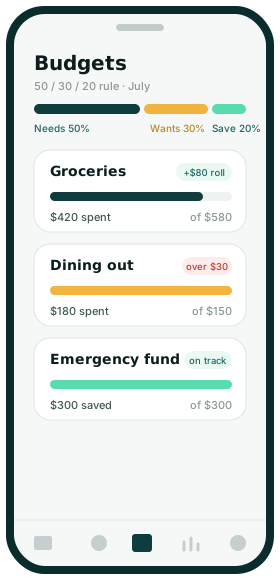
Deterministic rules split take-home money across needs, wants, and savings, then classify and roll transactions into budgets — predictable and explainable, never a black box.
Read more StreaksAppend-only achievements
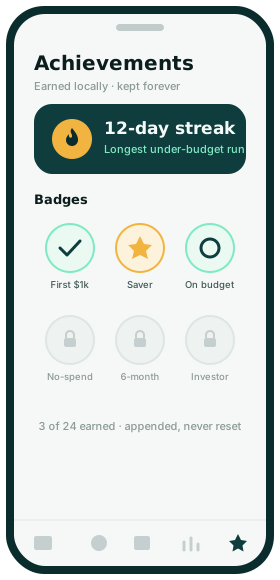
Earned badges are appended, never mutated or deleted. Current state is derived by folding the log — an auditable history you can replay, and a conflict-free shape for sync.
Read more PremiumOne entitlement, one source
A single authoritative check decides premium; every gate and the whole UI derive from it. Swapping the dev switch for real billing touches exactly one function — nothing else.
Read moreIn the app
Real budgeting, fully offline
Budgets with rollover
Weekly, monthly, or yearly envelopes. Surplus and overspend carry forward — full envelope behavior, computed lazily on read.
Multi-currency
Accounts in any currency. Money is stored as integer minor units — never floats — and totals convert with explicit, dated rates.
Planned payments
Recurring bills with reminders and optional auto-post. Local notifications, no push server required.
Stats & insights
Top expenses, cash flow, spending breakdowns, and 12-month trends — all charted from on-device data.
Biometric lock
Face ID / fingerprint unlock with a passcode fallback. The passcode hash lives in the device keychain.
Milestones
Savings streaks and habit badges that reward consistency — earned locally, kept forever.
Privacy by architecture
What Wall it never does
These aren't promises in a policy you have to trust. They're consequences of where the data lives — on your device, in a local database the app reads and writes directly.
See the data model- No account to create — open the app and start.
- No cloud sync of your financial data by default.
- No third-party analytics watching your money.
- No ad networks, no data brokers, no tracking pixels.
A native app, by design
No web version — and that's the point
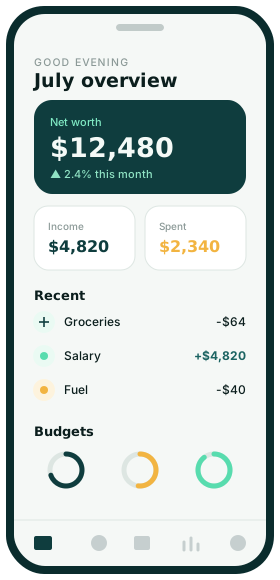
Wall it is a native iOS app. Your accounts, budgets, and history live in an on-device SQLite database that never leaves your phone — so there is nothing to run in a browser, and nothing to upload. Here's how it looks.